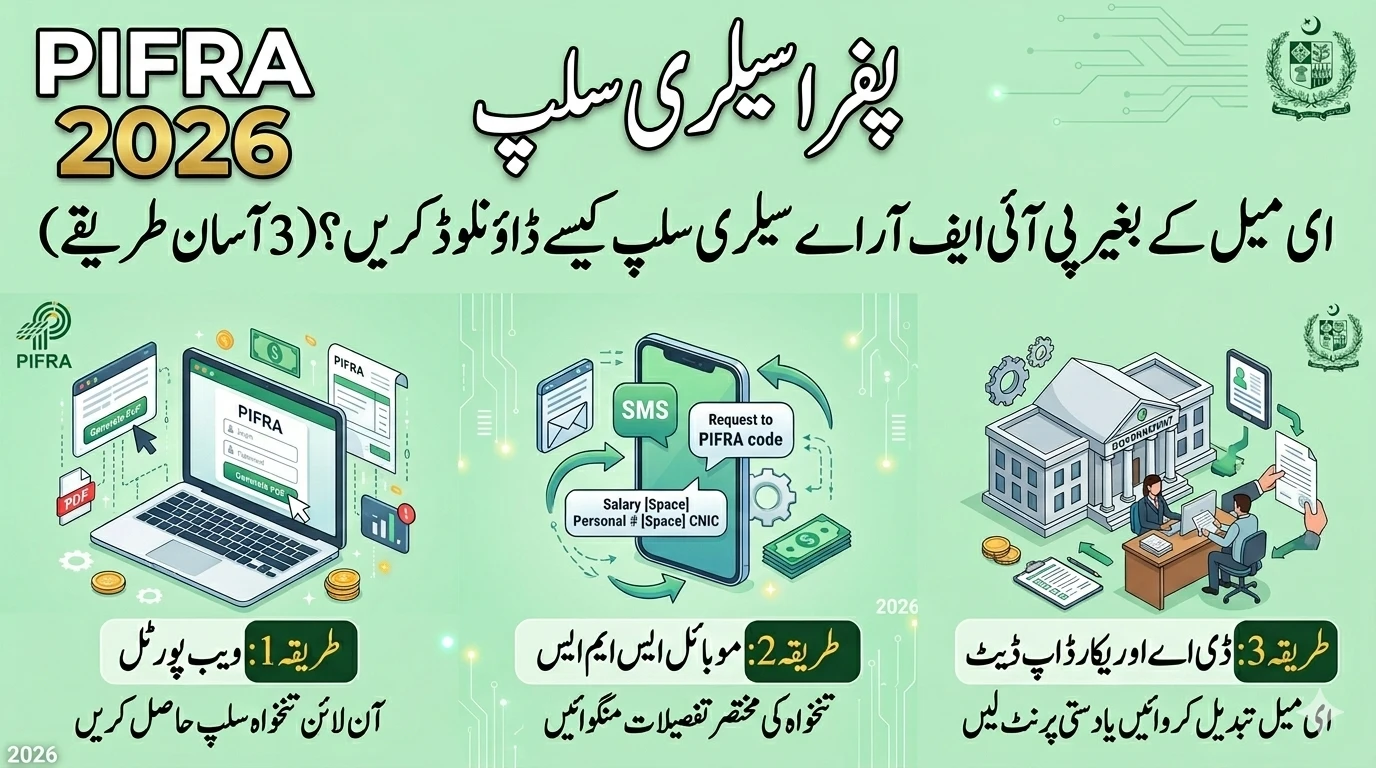
Starting a new job with the Government of Pakistan is a significant achievement. Whether you have joined the Federal service or a Provincial department, understanding how you get paid is crucial. In the past, employees had to wait for a physical piece of paper called a “salary slip” to be handed to them.
Today, everything has changed. In 2026, the PIFRA (Project to Improve Financial Reporting and Auditing) system has made it incredibly easy to receive your financial details digitally. By registering your details, you can have your monthly payslip delivered straight to your personal email inbox.
This guide is designed to help you navigate the PIFRA registration process for 2026. We’ve used simple language and included Urdu headings to ensure you can complete your registration without any confusion.
What Exactly is PIFRA and the FABS Portal?
Before we look at the steps, it helps to understand what you are actually signing up for. PIFRA is a government project aimed at making the country’s financial reporting more accurate and transparent. It uses a software system called FABS (Financial Accounting & Budgeting System).

Think of FABS as the “engine” that calculates the salaries of millions of government employees across Pakistan. When you register for an E-Payslip, you are connecting your personal identity to this engine so it knows exactly where to send your monthly pay breakdown.
This system is used by:
- Federal Government employees.
- Provincial Government employees (Punjab, Sindh, KPK, Balochistan).
- Employees of AJK, Gilgit-Baltistan, and various councils.
Why You Should Register Immediately | آپ کو فوراً رجسٹریشن کیوں کرنی چاہیے؟
Many new employees wait a few months before registering, but it is better to do it as soon as your first salary is processed. Here is why:

- Instant Record Keeping: You don’t have to worry about losing physical papers. Every month, a PDF is sent to your email which you can save forever.
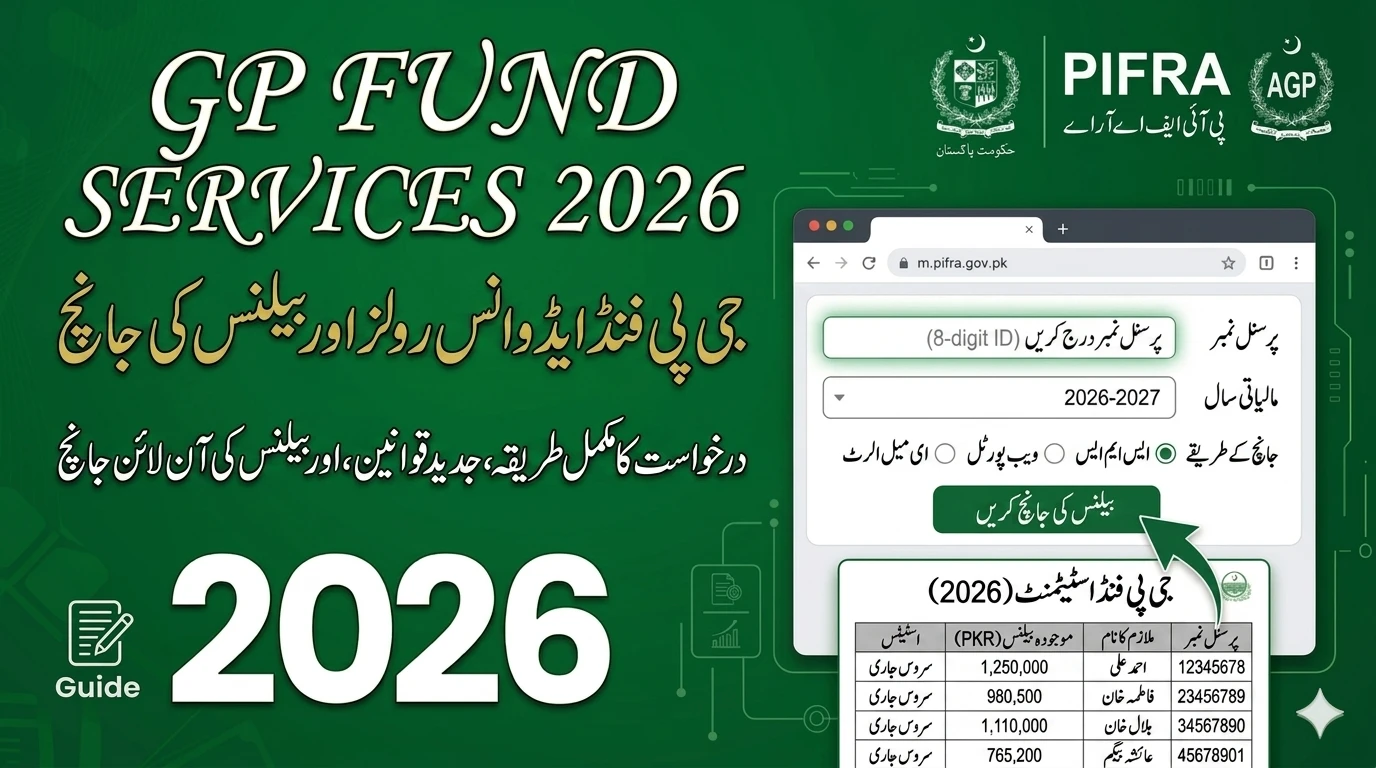
- Financial Planning: You can see exactly how much is being deducted for your General Provident (GP) Fund, Benevolent Fund, and Group Insurance.
- Loan and Visa Support: If you ever apply for a bank loan or a travel visa, you will need “Certified Payslips.” Having digital copies makes this process much faster.
- Error Correction: If there is a mistake in your pay scale or allowances, you can catch it immediately rather than finding out months later.
Pre-Registration Checklist for 2026 | رجسٹریشن شروع کرنے سے پہلے ضروری معلومات
To avoid errors or “session timeouts” on the government website, make sure you have these five items sitting on your desk before you start:
- CNIC Number: Your 13-digit Computerized National Identity Card number.
- Personal Number: This is an 8-digit number assigned to you by the Accounts Office. You can find this on your appointment letter or by asking your DDO (Drawing and Disbursing Officer).
- Date of Birth: This must match the date recorded in your official service book.
- Active Mobile Number: A number that is registered in your name to receive updates.
- Email Address: Ideally a Gmail or Yahoo account that you check regularly.
Step-by-Step PIFRA Registration Guide | پی آئی ایف آر اے رجسٹریشن: مرحلہ وار طریقہ کار
Follow these steps exactly. The system is sensitive, so typing “0” (zero) instead of “O” (the letter) can cause the registration to fail.
Step 1: Accessing the E-Service Portal | پہلا مرحلہ: ای سروس پورٹل تک رسائی
Open your preferred web browser and go to the official FABS website. You can find this by searching for “FABS E-Services” or “PIFRA Salary Slip Registration.” Ensure the website URL is legitimate and ends with .gov.pk.
Once the page loads, click on the link that says “E-Service for Employees” or “Salary Slip Registration.”
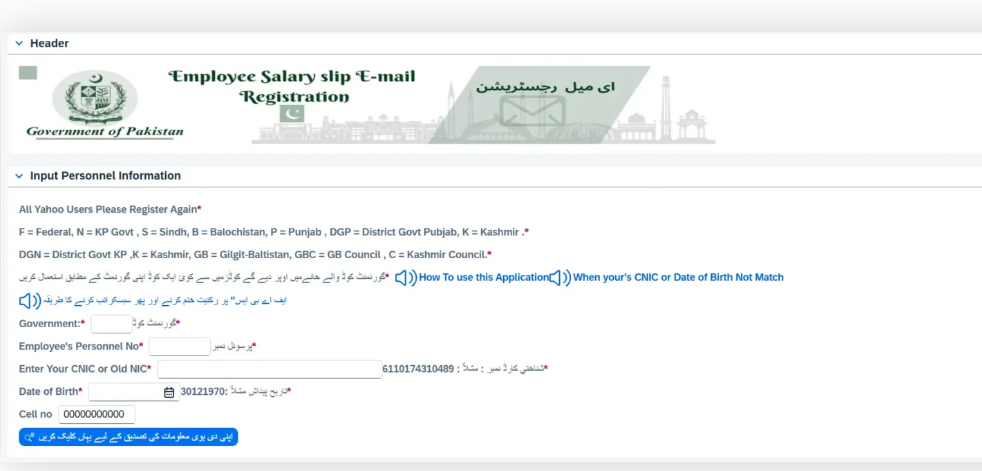
Step 2: Enter Your Government Code | دوسرا مرحلہ: گورنمنٹ کوڈ درج کریں
Pakistan has different accounting codes for different regions. In the “Government Code” box, you must enter the letter that corresponds to your workplace:
- F – Federal
- P – Punjab
- S – Sindh
- K – Khyber Pakhtunkhwa (KPK)
- B – Balochistan
- N – Azad Jammu & Kashmir (AJK)
- G – Gilgit-Baltistan
- C – Council (e.g., Federal Employee working in a specific council)
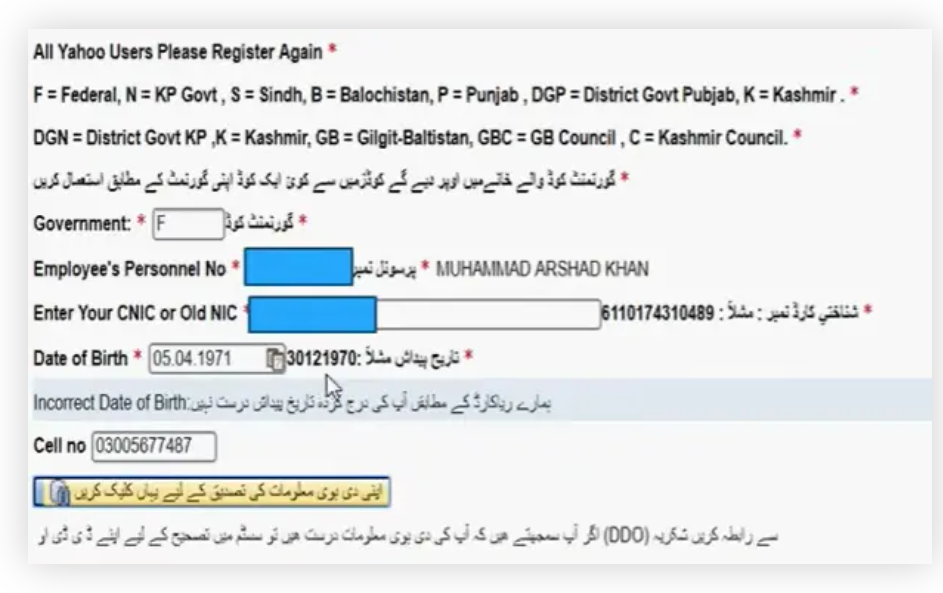
Step 3: Providing Your Identity Details | تیسرا مرحلہ: اپنی شناختی تفصیلات فراہم کریں
Now, enter your Personal Number. This is the 8-digit number we mentioned earlier. After that, enter your CNIC Number (13 digits) without any dashes, spaces, or slashes. Double-check every digit!
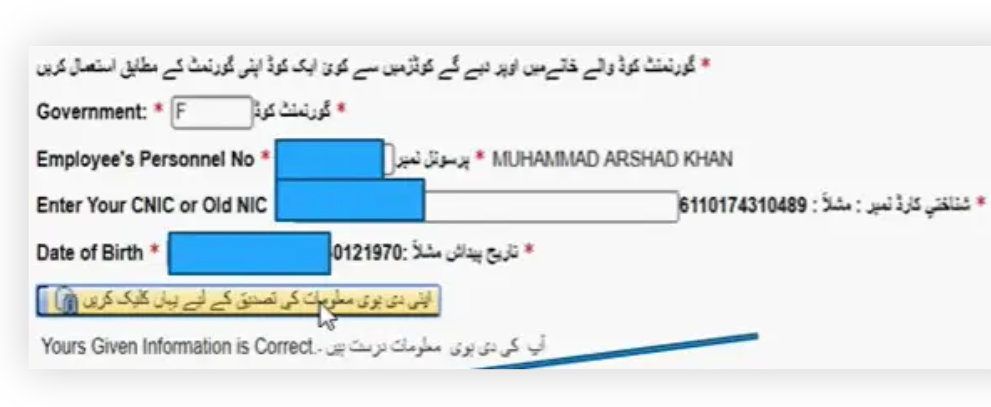
Step 4: Verification of Birth Date | چوتھا مرحلہ: تاریخِ پیدائش کی تصدیق
The portal will ask for your date of birth. The standard format is usually Day-Month-Year (DD-MM-YYYY). If the system says your date of birth is incorrect, it might be because the Accounts Office made a typo when they first entered your data. If this happens, you will need to contact your DAO (District Accounts Office) to correct it.
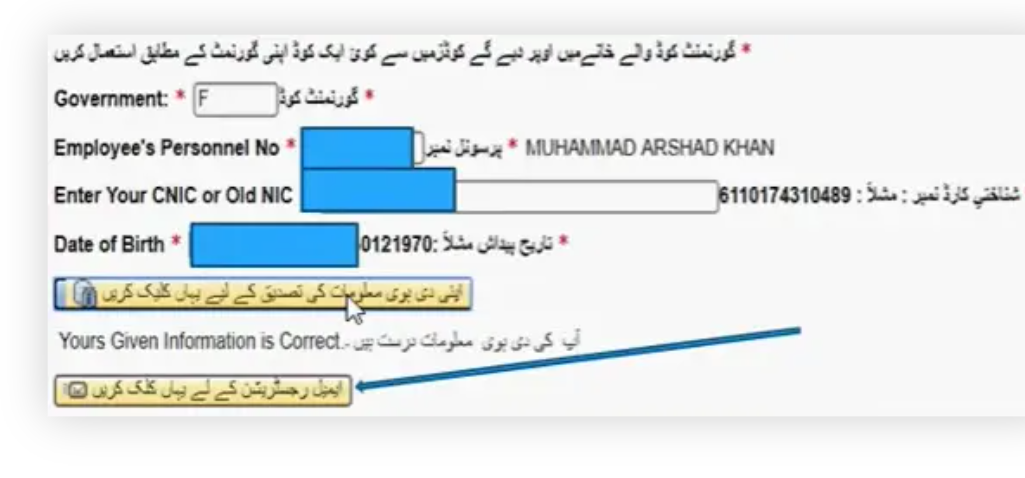
Step 5: Data Confirmation | پانچواں مرحلہ: ڈیٹا کی تصدیق
Click the “Verify” or “Submit” button. If the information you entered matches the government’s database, a success message will appear, and you will be asked for your contact information.
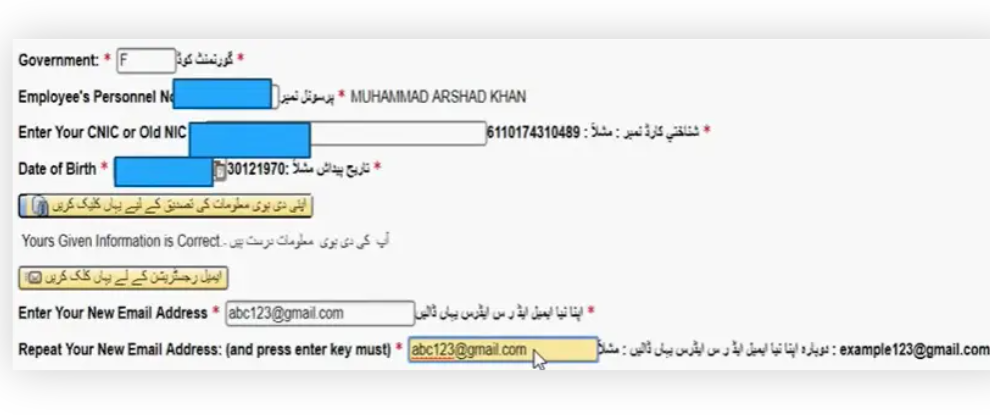
Step 6: Linking Your Email and Phone | چھٹا مرحلہ: ای میل اور فون نمبر منسلک کریں
This is the final and most important step. Type your Email Address carefully. You will usually have to type it twice to confirm there are no typos. Then, enter your mobile number. Once you hit the final “Submit” button, the system will confirm that your registration is successful.
Understanding Your E-Payslip | اپنی تنخواہ کی سلپ کو سمجھنا
Once you start receiving your payslips in 2026, you will notice they are divided into three main sections. Understanding these helps you manage your money better.
- Basic Pay & Allowances: This shows your base salary according to your BPS (Basic Pay Scale) and extra money like House Rent, Medical Allowance, and Adhoc Relief.
- Deductions: This shows money taken out for taxes, GP Fund, and insurance.
- Net Pay: This is the actual amount that will be deposited into your bank account.
Troubleshooting Common Issues | عام مسائل اور ان کا حل
Sometimes the registration process doesn’t go smoothly. Here are the most common problems and how to fix them in 2026:
- “Record Not Found”: This usually happens to brand-new employees. It can take 30 to 60 days for your personal number to be fully “synced” with the online portal. If you just joined, wait for one salary cycle and try again.
- “User Already Registered”: If you get this message but haven’t registered, someone might have entered a wrong CNIC number that matched yours, or you registered long ago and forgot. You will need to contact the PIFRA helpdesk via email to reset your account.
- No Email Received: Always check your “Spam” or “Promotions” folder. Because the emails are automated, some email providers might filter them out of your main inbox.
Expert Tips for 2026 Government Employees | سرکاری ملازمین کے لیے اہم مشورے
- Digital Literacy: Try to use a personal email address rather than a shared family one. This keeps your financial information private.
- December Increment: Remember that your annual increment is usually added in December. Check your December payslip every year to make sure your pay has increased correctly.
- Updating Information: If you get promoted or transfer to a different province, you should update your registration to ensure there is no break in receiving your payslips.
Frequently Asked Questions (FAQs) | عام طور پر پوچھے جانے والے سوالات
Q1: Is the PIFRA online registration free?
Yes, the registration is completely free. You should never pay anyone to register you for an E-Payslip. It is a public service provided by the government.
Q2: Can I register using my smartphone?
Absolutely. The FABS portal works on mobile browsers. Just make sure you have a stable internet connection while filling out the form.
Q3: What if I lose access to the email I registered with?
If you lose your email, you can go back to the registration page and try to re-register with a new email address. Often, the system will allow an update if your CNIC and Personal Number match.
Q4: I am a pensioner; can I also register?
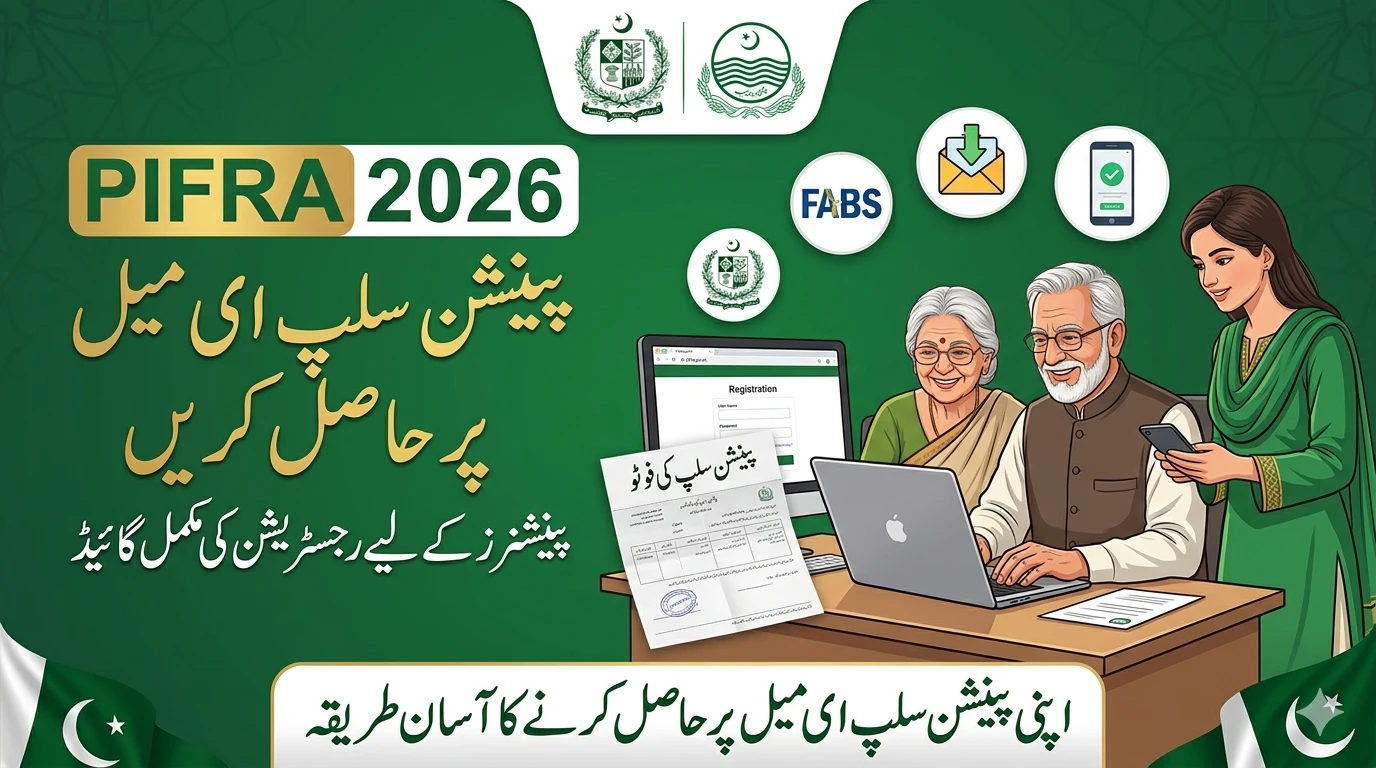
Yes! Pensioners can use their PPO (Pension Payment Order) number in place of a personal number to receive their monthly pension slips via email.
Q5: How long does it take to get the first email?
After successful registration, you will receive your first payslip during the next “pay run,” which usually happens at the end of the current month or the first week of the following month.
Final Thoughts | آخری بات
Registering for PIFRA in 2026 is more than just a convenience; it is a way to stay connected to your career’s financial health. By spending five minutes today to set up your E-Payslip, you save yourself hours of future stress and paperwork.
The transition to a digital Pakistan is happening fast, and as a government employee, you are at the forefront of this change. Keep your digital records safe, check your allowances regularly, and enjoy the peace of mind that comes with having your salary details right in your pocket!