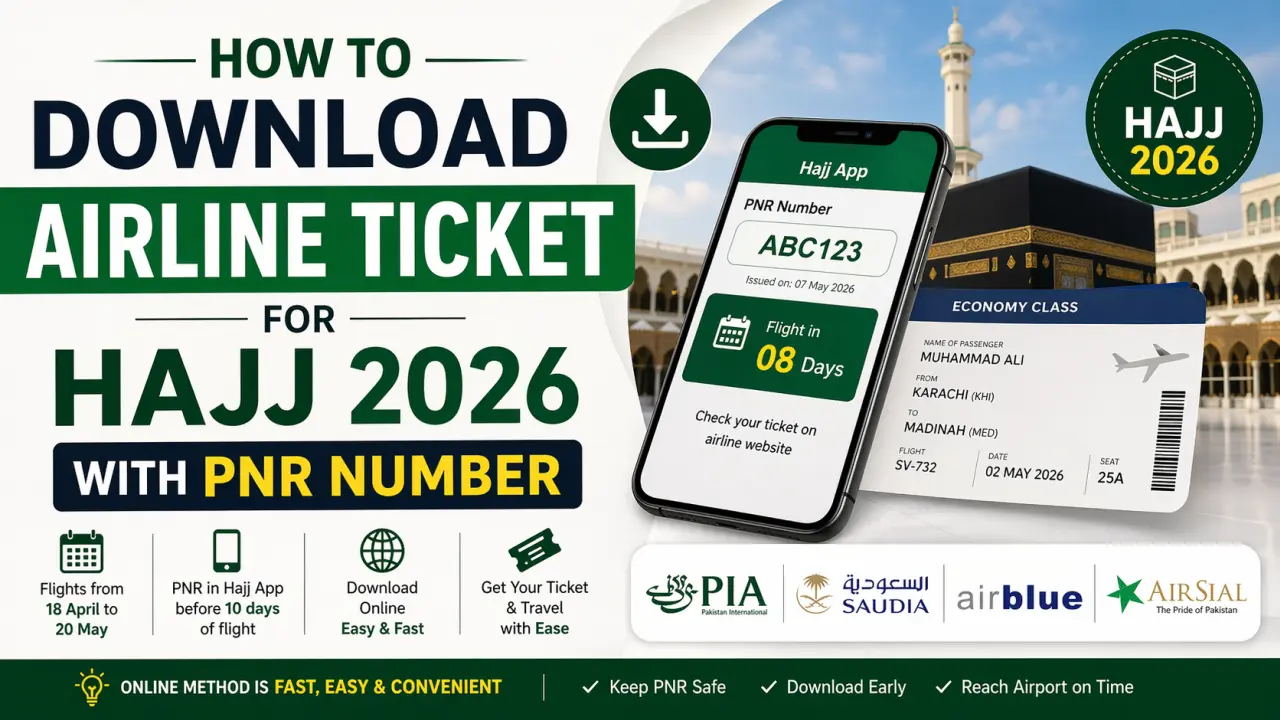
Every year, thousands of pilgrims from Pakistan travel for Hajj through special flights operated by airlines like Pakistan International Airlines, Saudi Arabian Airlines, Airblue, and AirSial.
For Hajj 2026, flights are expected between 18 April to 20 May, and many pilgrims are waiting to download their airline tickets using their PNR number.
This guide explains the complete online method in simple steps.
What is a PNR Number for Hajj?
A PNR (Passenger Name Record) is a unique booking code assigned to each pilgrim.

- Provided in the Hajj mobile app or by your Hajj operator
- Issued 7–10 days before your flight
- Required to view and download your ticket
Without a PNR, you cannot access your ticket online.
When Will Hajj 2026 Tickets Be Available?
Hajj tickets are usually available:
- Around 10 days before departure
- After your flight schedule is finalized
- Once your booking is assigned to an airline
If your flight is in May, expect your ticket in late April.

Airlines for Hajj 2026 from Pakistan
The following airlines are commonly used:
- Pakistan International Airlines – Mostly for government Hajj scheme
- Saudi Arabian Airlines – Direct international flights
- Airblue – Used in private Hajj packages
- AirSial – New airline for selected routes
Step-by-Step: How to Download Hajj Airline Ticket Online
Follow these easy steps:

Step 1: Get Your PNR Number
- Open your Hajj App
- Note your PNR number carefully
Step 2: Visit Your Airline Website
Go to the official website of your assigned airline:
- PIA → www.piac.com.pk
- Saudia → www.saudia.com
- Airblue → www.airblue.com
- AirSial → www.airsial.com
Step 3: Click on “Manage Booking”
- On the homepage, find “Manage Booking” or “My Booking”
- Click to proceed
Step 4: Enter Your Details
Provide:
- PNR Number
- Last Name (as per passport)
Step 5: View Your Ticket
- Your booking details will appear
- Check:
- Flight date
- Departure city
- Seat information
Step 6: Download or Print Ticket
- Click Download / Print
- Save a copy on your mobile
- Print for travel use
Alternative Method (Offline)
If you cannot download online:
- Visit your nearest Hajj Camp
- Provide CNIC and passport
- Staff will give you a printed ticket
However, the online method is faster and easier.
Important Tips for Pilgrims
- Double-check your PNR number
- Download ticket 3–5 days before flight
- Keep mobile + printed copies
- Reach airport 4–6 hours early
- Follow airline baggage rules
Common Problems & Solutions
PNR not working
→ Try again after some time (ticket may not be issued yet)
Ticket not showing
→ Wait until official release date
Wrong details
→ Contact your airline or Hajj operator immediately
Final Words
Downloading your Hajj 2026 airline ticket using your PNR number is simple and can be done in minutes. Airlines like Pakistan International Airlines, Saudi Arabian Airlines, Airblue, and AirSial make the process smooth for pilgrims.
Make sure to check your Hajj app regularly and download your ticket as soon as your PNR becomes active.