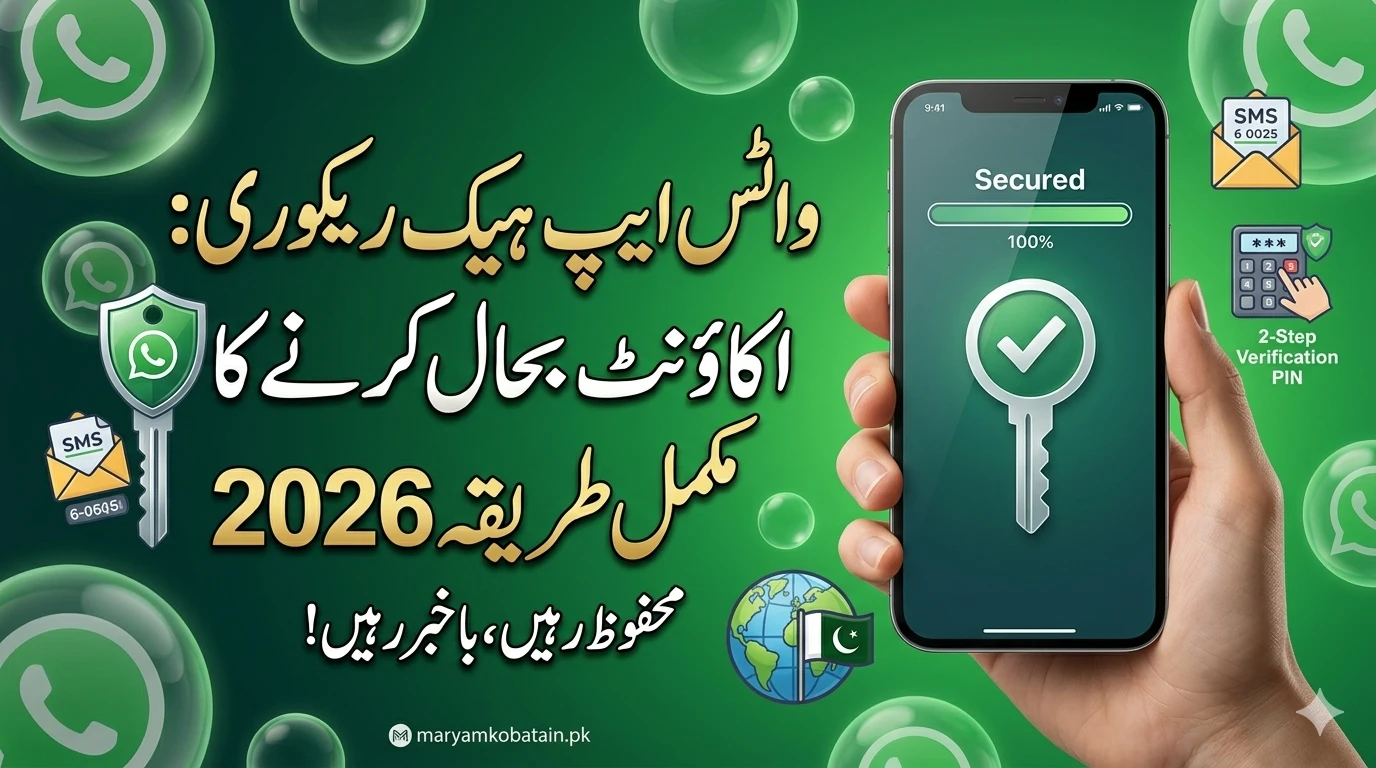
Finding out that your WhatsApp account has been hacked is a terrifying experience. One minute you are chatting with friends, and the next, you are logged out, seeing a message that your number is being used on another device. In 2026, as our lives become more digital, hackers have found even more clever ways to trick users.
But here is the good news: you don’t need to panic. WhatsApp has built-in security features designed to help you take back control. Whether your account was stolen through a scam call or a suspicious link, this guide will walk you through the recovery process step-by-step.
Understanding How the Hack Happened
Before we dive into the recovery, it is important to know how the hacker got in. Most WhatsApp hacks in 2026 don’t happen because of “super-coding.” Instead, they happen through “social engineering.”
Common methods include:

- The “Oops” Code: Someone sends you a text with a 6-digit code and then messages you on WhatsApp saying they sent it to you by mistake. Once you give them that code, they register your account on their phone.
- QR Code Scams: Scammers might ask you to scan a QR code to “win a prize” or “log into a service,” but in reality, they are linking your WhatsApp Web to their computer.
- SIM Swapping: A more advanced method where hackers convince your mobile carrier to switch your number to a SIM card they own.
Knowing these methods helps you stay alert so it doesn’t happen again.
Immediate Action: What to Do the Moment You Are Logged Out
Timing is everything. The faster you act, the less damage a hacker can do to your reputation or your contacts’ privacy.
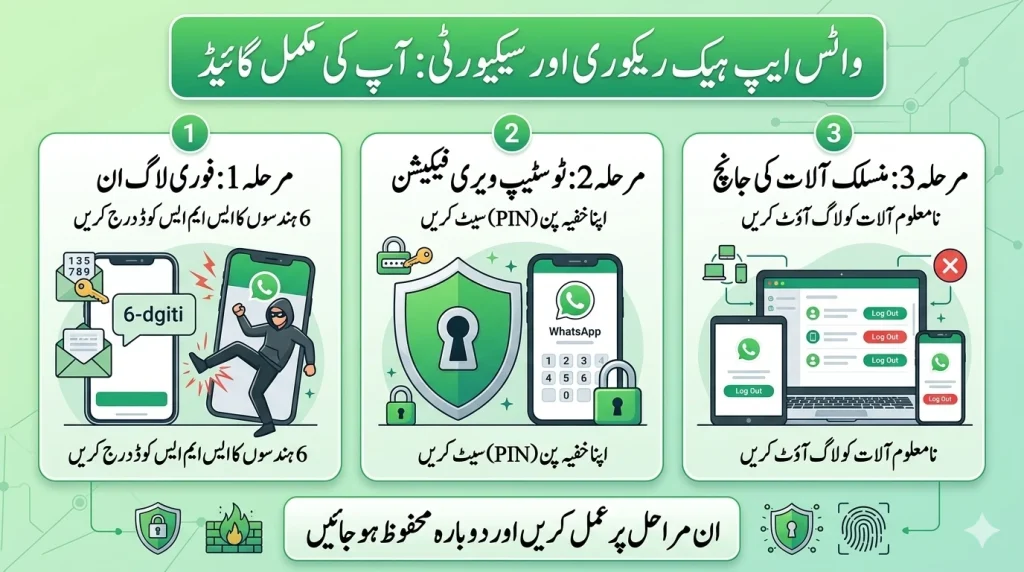
1. Log Back Into WhatsApp Immediately
The most effective way to kick a hacker out is to simply log back into your account.

- Open WhatsApp on your phone.
- Enter your phone number.
- Wait for the 6-digit SMS verification code.
- Enter the code as soon as you receive it.
Once you enter the correct SMS code, the hacker will be automatically logged out of your account on their device. WhatsApp only allows an account to be active on one primary phone at a time.
2. The 2-Step Verification Hurdle
If the hacker was smart, they might have enabled Two-Step Verification (2FA) after taking over your account. If you are asked for a 6-digit PIN that you never set up, it means the hacker has locked you out.

In this case, you will have to wait 7 days to sign in without the PIN. While this is frustrating, the hacker is already logged out of your account the moment you enter the SMS code, even if you can’t access your chats yet.
Step-by-Step Recovery Process for 2026
If the simple login didn’t work or you are facing technical glitches, follow this structured path.
Step 1: Notify Your Contacts
While you are waiting for recovery, the hacker might message your family and friends asking for money or sharing malicious links. Use your social media or a regular SMS to let people know your WhatsApp is compromised. Tell them: “Do not send money or click any links from my WhatsApp until I tell you it’s safe.”
Step 2: Check Linked Devices
If you still have access to your phone but suspect someone is watching your chats:
- Open WhatsApp.
- Go to Settings (or the three dots in the top right).
- Tap Linked Devices.
- Look for any device you don’t recognize (like a Windows PC or a Mac in another city).
- Tap the device and select Log Out.
Step 3: Contact WhatsApp Support
If you cannot receive an SMS code or the hacker has changed your recovery email, you must contact WhatsApp directly.
- Send an email to: support@support.whatsapp.com.
- Subject: Lost/Stolen: Please deactivate my account.
- Body: Include your phone number in full international format (e.g., +92 300 1234567).
- State clearly that your account has been hacked and you need it deactivated to protect your data.
Strengthening Your Security for the Future
Once you have your account back, don’t just go back to business as usual. You need to turn your account into a “digital fortress.”
Enable Two-Step Verification (The Essential Step)
This is the single most important thing you can do.
- Go to Settings > Account > Two-step verification.
- Tap Enable.
- Choose a 6-digit PIN that only you know.
- Add a recovery email address.
Now, even if a hacker steals your SMS code, they cannot log in without this secret PIN.
Silence Unknown Callers
In 2026, many hacks start with a simple WhatsApp call from an international number. You can stop this by:
- Going to Settings > Privacy > Calls.
- Turning on Silence Unknown Callers.
Set Up “Privacy Checkup”
WhatsApp now offers a built-in “Privacy Checkup” tool. It takes about two minutes and helps you hide your profile picture, last seen, and status from people who are not in your contact list.
Why Hackers Want Your WhatsApp
It is rarely about your personal photos. Hackers usually want your account for three reasons:
- Money Scams: They message your “Mom” or “Best Friend” saying you are in an emergency and need a quick bank transfer.
- Spreading Malware: They use your trusted account to send links that infect other people’s phones.
- Data Harvesting: They look for saved passwords or banking details in your chat history.
Legal Steps in Pakistan (Local Context)
If the hacker is using your account for serious crimes or harassment, you should involve the authorities. In Pakistan, the FIA (Federal Investigation Agency) has a dedicated Cyber Crime Wing.
- You can file an online complaint at nr3c.gov.pk.
- Keep screenshots of the hacker’s activity as evidence.
- Report the number that initially sent you the scam code.
Recover Hacked WhatsApp Account 2026
Frequently Asked Questions (FAQs)
1. Can a hacker read my old deleted messages?
No. When a hacker logs into your account on a new device, they cannot see your old chat history unless they also have access to your Google Drive or iCloud backup. WhatsApp uses end-to-end encryption, which keeps your history stored locally on your device or in your private cloud.
2. How long does it take to get my account back?
If you have your SIM card, it usually takes 60 seconds to log back in. However, if the hacker enabled 2-step verification, you may have to wait 7 days to regain full access to your messages.
3. Will I lose my groups if I am hacked?
No. Once you recover your account, you will still be a member of all your previous groups. However, you might want to check if the hacker added any new “admin” users to those groups while you were away.
4. Can WhatsApp be hacked without a code?
It is extremely rare. Most “hacks” are actually cases of users accidentally giving away their verification codes or leaving their WhatsApp Web session open on a public computer.
5. What if I lost my SIM card and got hacked?
If you lost your SIM, contact your mobile network provider immediately to block the SIM and get a replacement. Once you have the new SIM with the same number, you can log back into WhatsApp and the hacker will be kicked out.
Final Thought: Your digital safety is in your hands. By spending just two minutes setting up a PIN today, you can save yourself days of stress tomorrow. Stay safe, stay updated, and always be wary of “accidental” messages asking for codes.