The moment of truth has arrived for millions of students across Punjab. Today, April 9, 2026, the Punjab Education, Curriculum, Training and Assessment Authority (PECTAA) officially released the 8th Class School Based Assessment (SBA) results. While Education Minister Rana Sikandar Hayat confirmed the release at 3:00 PM, many parents and students are facing a common problem: a crashing website.
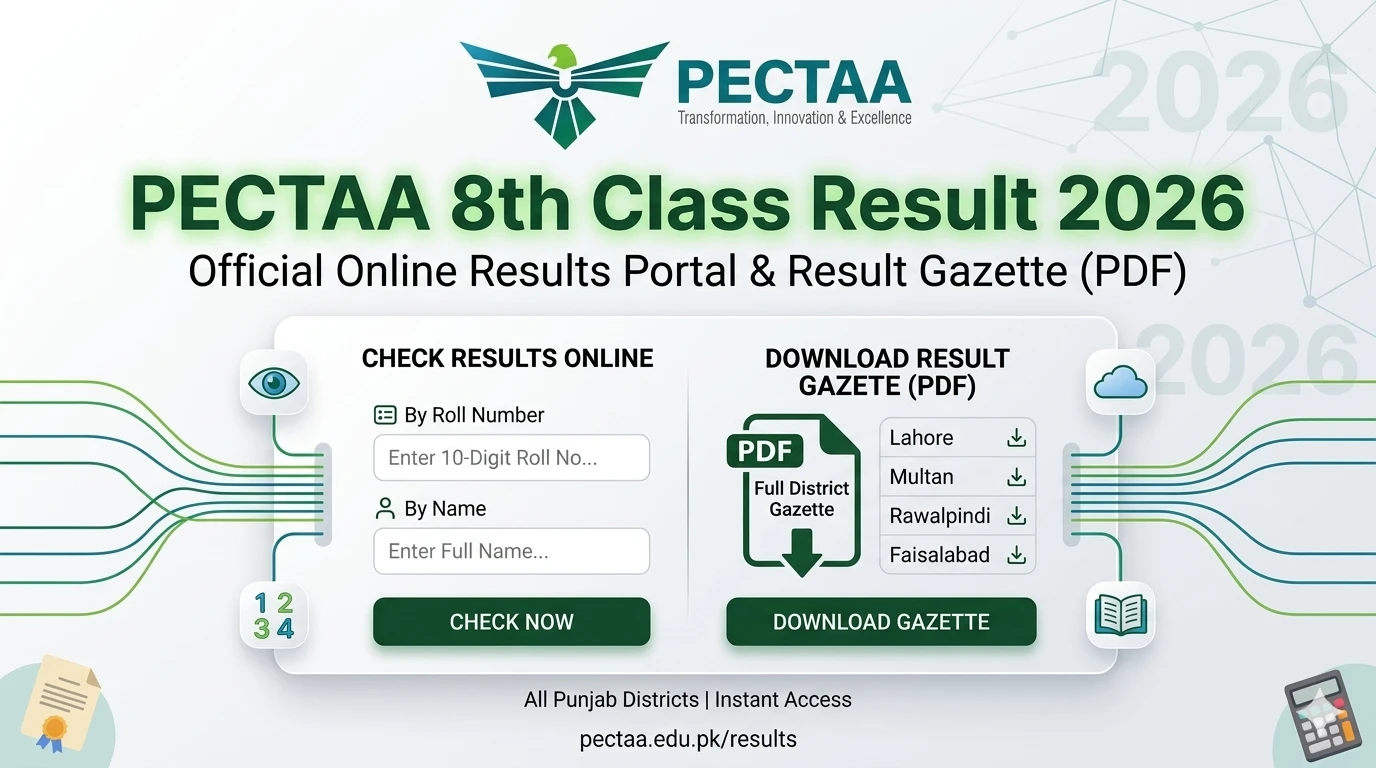
When the official PECTAA portal gets too much traffic, it often shows a “System Busy” message. This is where the PECTAA 8th Class Result 2026 Gazette Download PDF becomes your best friend. Instead of waiting for a single page to load, you can download the entire document and find your result in seconds.
Why You Should Use the Result Gazette Instead of the Website
Every year, when the 8th-grade results are announced, the main servers face a massive surge in users. With nearly every household in Punjab trying to log in at once, the system naturally slows down. The Gazette is a comprehensive PDF file that contains the data of every student in a specific district or board.
Using the Gazette has several benefits:
- No Internet Required: Once you download the PDF, you can search for results offline.
- Search by Name: If you forgot your roll number, the Gazette allows you to search using your name or your father’s name.
- School Performance: You can see how your entire school performed compared to others in your area.
- Safe from Crashes: While the result portal might go up and down, a downloaded PDF stays on your phone or computer.
How to Download PECTAA 8th Class Result 2026 Gazette PDF
Finding the right link can be tricky because many unofficial websites post fake links. To get the authentic PECTAA Gazette, follow these simple steps:
- Identify Your District: The Gazette is usually divided by districts (like Lahore, Multan, Faisalabad, etc.).
- Visit the Official Portal: Go to the PECTAA official website or the dedicated results sub-domain provided by the IT team.
- Look for the “Downloads” Section: Instead of clicking “Check Result by Roll No,” look for a link that says “Download Full Result Gazette 2026.”
- Select Your Grade: Choose “Grade 8” or “Class 8.”
- Click and Save: Tap the download icon. Because these files are large, it might take a minute or two depending on your internet speed.
How to Find Your Name in the PDF Gazette
Once the download is complete, you will see a document with thousands of names. You don’t have to scroll through all of them!
- On a Smartphone: Open the PDF in an app like Adobe Reader or Google Drive. Tap the “Magnifying Glass” icon at the top and type in your Roll Number or Full Name.
- On a Laptop/PC: Press Ctrl + F on your keyboard. A search box will appear. Type your details and hit Enter. The computer will highlight your result instantly.
District-Wise Gazette Availability for 2026
PECTAA covers all of Punjab. Whether you are in a big city or a small village, your result is included in these files. Currently, the Gazette is being uploaded for the following major areas:

- Lahore District Gazette
- Faisalabad District Gazette
- Rawalpindi District Gazette
- Multan District Gazette
- Gujranwala District Gazette
- Sargodha, Bahawalpur, and Sahiwal Districts
If your specific district Gazette is not yet available, please wait. The IT team uploads these files in batches to prevent the server from completely shutting down.
Understanding the New SBA System and PECTAA
You might notice that the result looks a bit different this year. This is because PECTAA has moved away from the old “Pass/Fail” model and toward a more modern School Based Assessment (SBA) system.

The Gazette will show marks for different competencies. This includes your internal school marks (what your teachers gave you during the year) and your external exam marks (the final papers you took). This “holistic” approach is designed to give a fairer picture of a student’s intelligence rather than just testing their memory for one day.
What to Do if the Gazette Shows “Result Awaited” (R.L.)
Sometimes, when you open the Gazette, you might see “R.L.” next to a name. This stands for “Result Late.” This usually happens for a few reasons:
- Missing Documents: Your registration might have a missing CNIC or B-Form.
- Fee Issues: In some private school cases, there might be a pending administrative issue.
- Technical Error: Sometimes a specific school’s data takes longer to process.
If you see this, don’t worry. Your result is safe; it just hasn’t been posted yet. Check back in 24 to 48 hours, and the Gazette will usually be updated.
Advice for Students Feeling Anxious
Result day is a major event in every student’s life. If you find that your marks are lower than expected, remember that this is just the beginning. The 8th grade is a preparation phase for your Matriculation (9th and 10th).
Education Minister Rana Sikandar Hayat has often stated that the goal of the Punjab Education department is to support students, not just grade them. If you aren’t happy with your result, talk to your teachers about how you can improve your “Competency Levels” for the next academic year.
Tips for Parents on Result Day
Parents, your reaction to the result is very important for your child’s mental health.
- Verify the Result: Ensure you are looking at the official Gazette and not a fake social media post.
- Support Effort: Praise the hard work your child put in during the SBA sessions throughout the year.
- Plan Ahead: If the child performed well in Science but struggled in Math, use the detailed marks in the Gazette to plan for specialized coaching in 9th grade.
The Role of Rana Sikandar Hayat in the 2026 Results
The 2026 academic year has seen many reforms under the current Education Minister. The focus has been on transparency. By allowing the Gazette to be downloaded publicly, the government is ensuring that no school can “hide” or “change” marks. This transparency helps build trust in the Punjab education system.
Frequently Asked Questions (FAQs)
1. Is the PECTAA Gazette different from the PEC Gazette?
Yes, while they serve a similar purpose, PECTAA is the updated authority handling the 8th-grade assessments in Punjab. The format might be slightly different, but it still contains the official board marks.
2. Can I download the Gazette on a low-end mobile phone?
Gazette files can be very large (sometimes over 100MB). If your phone has low storage or slow internet, it might fail. We recommend using a stable Wi-Fi connection or a computer for the best experience.
3. What is the official website for PECTAA?
The primary website is pectaa.edu.pk. Always check this URL first. Be wary of sites that look like the official one but have different endings like .com or .net.
4. Can I get a physical copy of the Gazette?
Hard copies of the Gazette are usually sent to the District Education Offices (DEOs). However, for the general public, the PDF download is the official and most accessible version.
5. How long does it take for the “System Busy” error to go away?
Typically, the website remains slow for the first 3 to 4 hours after the 3 PM announcement. By 8 PM or 9 PM, the traffic usually dies down, and the site becomes much faster.
Final Summary:
Don’t let a slow website ruin your result day. By using the PECTAA 8th Class Result 2026 Gazette Download PDF, you can skip the technical errors and get straight to your marks. Keep your roll number ready, use the search function in the PDF, and celebrate your success with your family!
Stay tuned to our website for more live updates on Punjab government schemes and educational news.