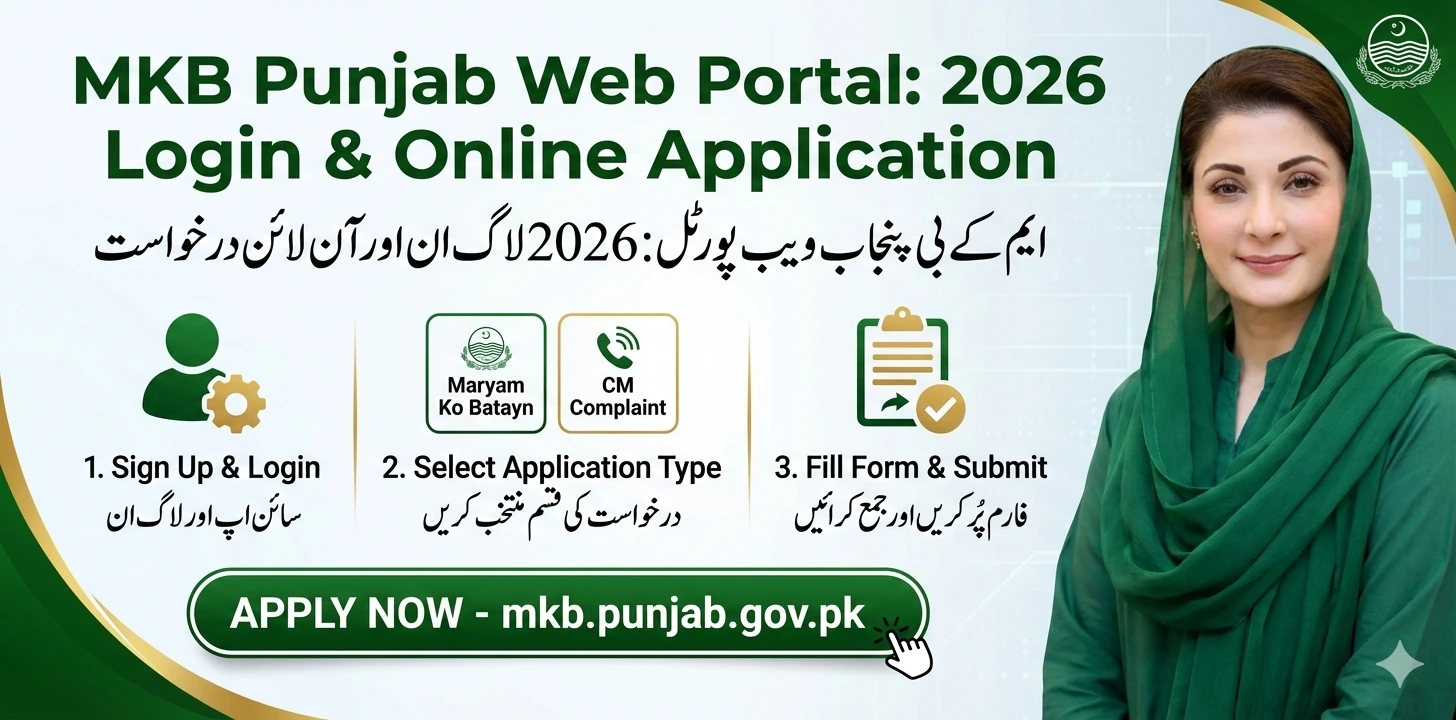
The Maryam Ko Batayn (MKB) portal is a centralized platform for the citizens of Punjab to submit applications and complaints directly to the Chief Minister. The portal focuses on transparency, quick verification, and 24/7 support for those in need of financial aid or government intervention.
The mkb.punjab.gov.pk portal is a digital initiative by the Government of Punjab designed to bridge the gap between the public and the Chief Minister’s office. Whether you need immediate financial assistance through “Emergency Financial Aid” or want to report a grievance, this article provides a step-by-step guide for sign up , login and application process.
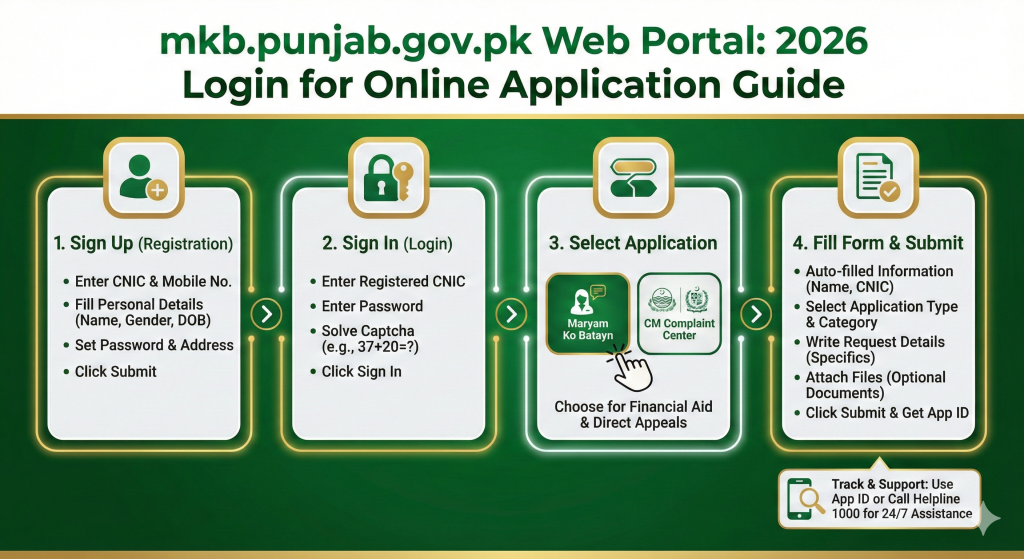
Step 1: Accessing the Web Portal
To begin, open your web browser and visit the official website: mkb.punjab.gov.pk.
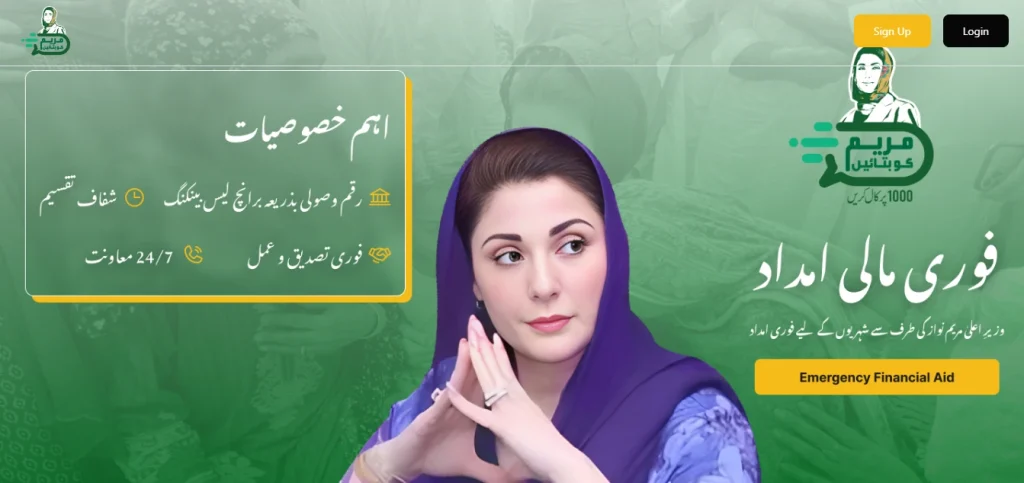
On the homepage, you will see the primary options for Sign Up and Login. If you are a new user, you must first register your identity to access the services.

Step 2: How to Sign Up (Registration Process)
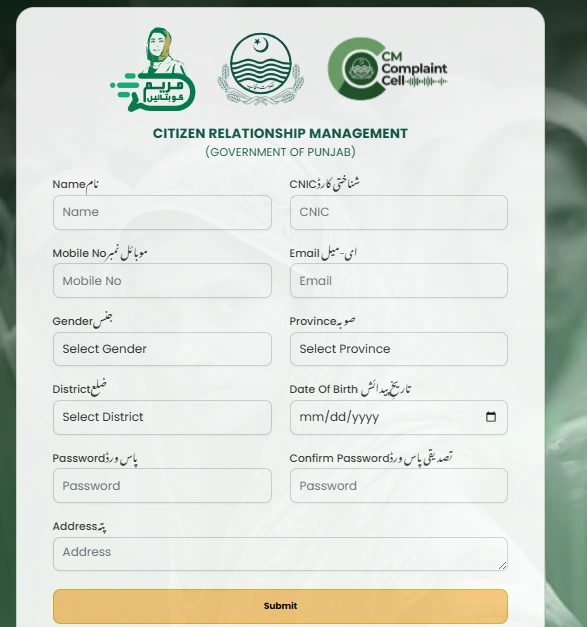
Before applying, you need to create an account on the Citizen Relationship Management system.
- Click on Sign Up: Locate the “Sign Up” button on the top right or bottom of the login box.
- Enter Personal Details: Fill in the following fields accurately:
- Full Name: Enter your name as it appears on your CNIC.
- CNIC Number: Enter your 13-digit Identity Card number.
- Mobile Number: Provide an active mobile number for verification.
- Email Address: (Optional) Enter your email for digital correspondence.
- Gender & Date of Birth: Select your gender and birth date from the dropdown menus.
- Location: Select your Province and District.
- Create a Password: Set a strong password and confirm it in the next box.
- Complete Address: Type your current residential address.
- Submit: Click the “Submit” button to complete your registration.
Step 3: Sign In to Your Account
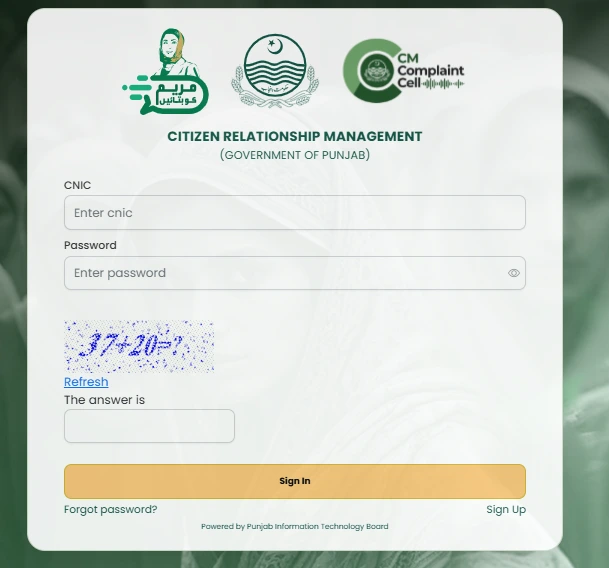
Once your account is created, go back to the Sign In page.
- CNIC: Enter your registered CNIC number.
- Password: Enter the password you created during sign-up.
- Captcha: You will see a simple math sum (e.g., $37 + 20 = ?$). Enter the correct answer in the box provided.
- Login: Click “Sign In” to enter the portal.
Step 4: Selecting the Right Application Path
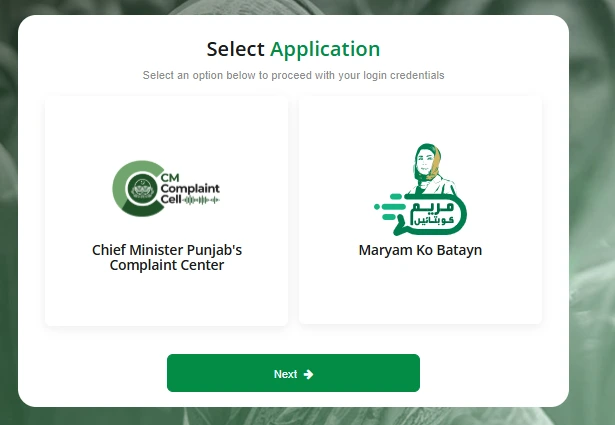
After logging in, the dashboard will present you with two main options:

- Maryam Ko Batayn: Select this if you are seeking financial aid, emergency assistance, or want to bring a specific issue to the CM’s personal attention.
- Chief Minister Punjab’s Complaint Center: Select this to report issues related to government departments (Police, Health, Education, etc.).
Choose “Maryam Ko Batayn” and click Next to proceed to the application form.
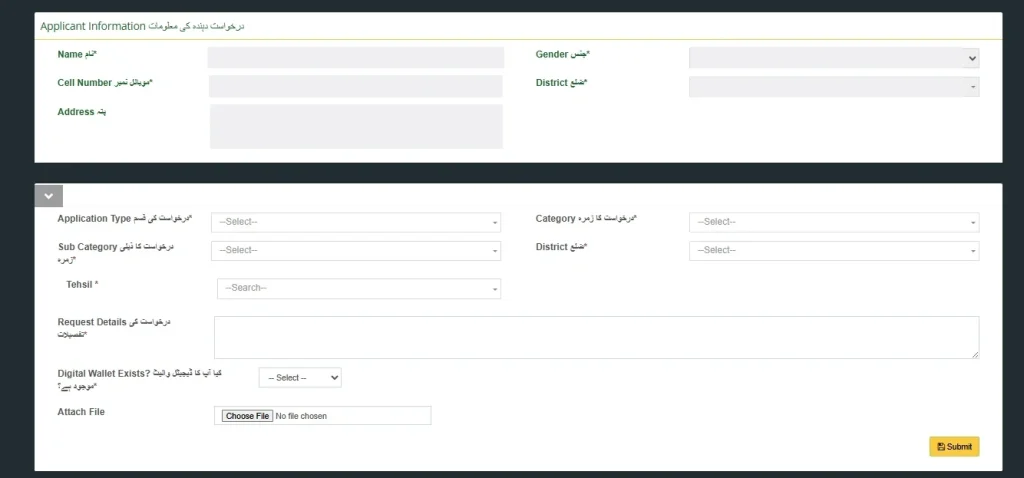
Step 5: Fill Out the Maryam Ko Batayn Form
The application form is divided into sections to ensure all necessary data is captured:

Applicant Information
Most of this will be auto-filled from your registration, including your Name, Cell Number, Gender, and District. Ensure the Address is specific (e.g., VPO Nakka Kahut, Tehsil Talagang).
Application Details
- Application Type: Choose the nature of your request (e.g., Financial Aid, Health Support).
- Category & Sub-Category: Select the specific area your request falls under.
- Tehsil: Choose your specific Tehsil from the list.
- Request Details: This is the most important part. Write a clear and detailed description of your problem or the reason you are seeking aid. Mention specific facts to help officials understand your situation.
Digital & Physical Attachments
- Digital Wallet Exists?: Select “Yes” or “No” to indicate if you have a mobile wallet (like JazzCash or EasyPaisa) for receiving funds.
- Attach File: Upload supporting documents, such as medical reports, utility bills, or photos that justify your request.
Step 6: Submission and Tracking
After reviewing your details, click the Submit button.
How to Track Your Application
- Once submitted, you will receive an Application ID via SMS and on the screen.
- You can log back into the portal at any time to check the “Status” of your request.
- The portal provides 24/7 assistance, and you can also call the helpline 1000 for direct updates.
Conclusion
The mkb.punjab.gov.pk portal is a powerful tool for the citizens of Punjab to connect directly with the government. By following the steps outlined above from creating an account to filling out the Maryam Ko Batayn form you can ensure your voice is heard and your needs are addressed. This digital gateway promotes transparency, reduces the need for middle-men, and provides a direct line of support for financial aid and grievance redressal. Stay informed, keep your login credentials safe, and use this platform to access the services you deserve.
Frequently Asked Questions (FAQs)
1. What should I do if I forget my portal password?
If you forget your password, go to the mkb portal sign in page and click on the “Forgot password?” link located below the Sign In button. You will need to enter your registered CNIC or mobile number to receive instructions for resetting your password.
2. Can I apply for more than one person from a single account?
The portal is designed as a Citizen Relationship Management system where each individual’s CNIC is tied to their specific application. It is highly recommended that each applicant creates their own account using their unique CNIC to avoid confusion during the verification process.
3. What is the helpline number for the Maryam Ko Batayn portal?
If you face any technical issues or need an update on your application, you can call the dedicated helpline at 1000.
4. Is there a fee for submitting an online application?
No, the registration and application process on the mkb.punjab.gov.pk portal is completely free of charge for all citizens of Punjab.
5. Which documents are mandatory for the “Maryam Ko Batayn” form?
While requirements vary based on the application type, you should generally have a digital copy of your CNIC, proof of residence, and any supporting documents related to your specific request (such as medical reports for health aid or utility bills for financial support).
6. How long does it take to process an application?
Processing times vary depending on the department and the nature of the request. However, the portal features a 24/7 support and tracking system that allows you to monitor the real-time progress of your application.