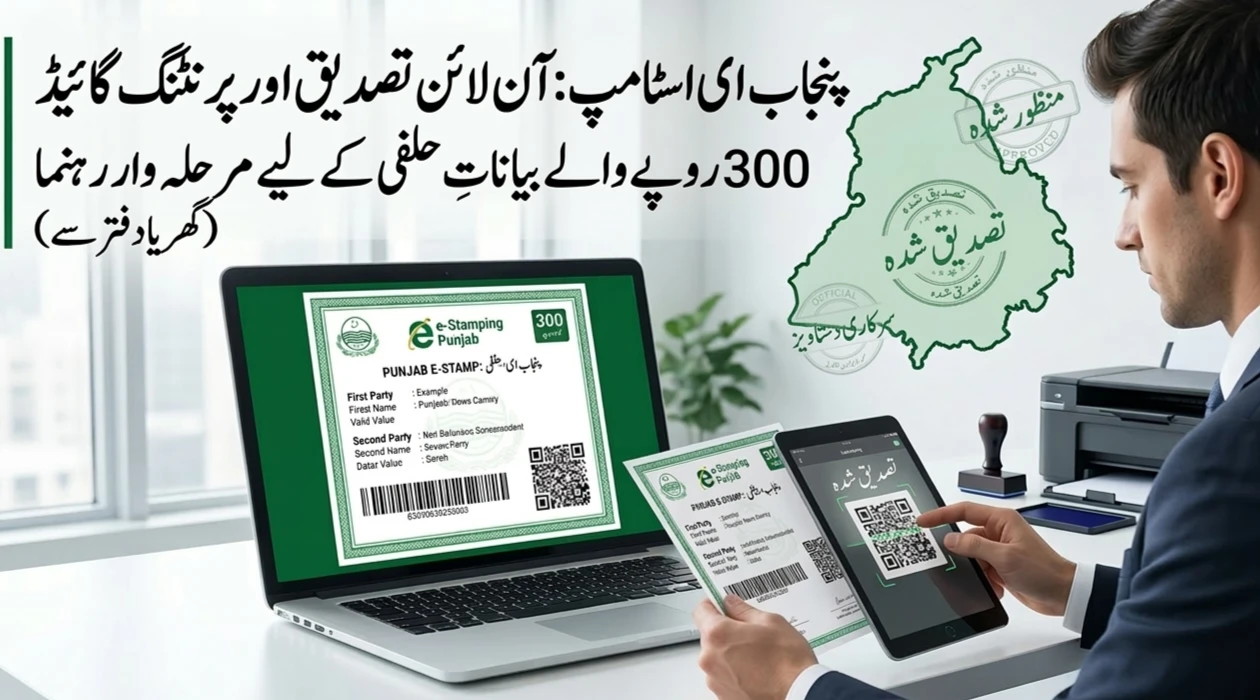
Gone are the days when you had to stand in long lines at the “Katchery” just to get a simple affidavit. Whether you need a 300-rupee stamp paper for a job contract, a rental agreement, or a personal declaration, the Government of Punjab has made it incredibly easy.
You can now do everything from your laptop or smartphone. This shift to digital stamping is part of the “Digital Punjab” initiative, aiming to make life easier for the common man. In this guide, we will walk you through the entire process of generating, paying for, and printing your e-Stamp paper without leaving your chair.
Understanding the e-Stamping System in Punjab
The e-Stamping system is managed by the Punjab Information Technology Board (PITB) in collaboration with the Board of Revenue. It was designed to stop the sale of back-dated stamp papers and to eliminate the “Agent Culture” that often overcharged citizens.
When we talk about a “300 Rupee Stamp Paper,” we are usually referring to Low Denomination papers. These are used for non-judicial purposes like affidavits, power of attorney, and various legal undertakings.

Why Use the Online Method?
Using the online portal isn’t just about saving fuel. It’s about accuracy. You enter your own data, so there are fewer chances of spelling mistakes. Plus, the system is available 24/7. You don’t have to wait for an office to open to start your application.
Pre-Requirements: What You Need Before Starting
Before you open the website, make sure you have the following details ready. Having these on hand will prevent the session from timing out:
- CNIC Numbers: You will need the ID card numbers for the first party (the person giving the statement) and the second party (the person or department receiving it).
- Active Mobile Number: This is crucial. You will receive your Stamp Number and OTP (One-Time Password) on this number.
- Payment App: Ensure you have Easypaisa, JazzCash, or a bank app with a balance of at least 300 rupees.
- Printer Access: While you can save the file as a PDF, you will eventually need a printer to get the physical copy.
Step 1: Navigating the Official Portal
The journey begins at the official e-Stamping website of Punjab. You don’t need to create a complex account or log in with a password to start the process for a low-value stamp.

Simply search for the Punjab e-Stamping Portal or go through the PLRA (Punjab Land Records Authority) link. Once the homepage loads, look for the button labeled “Get an e-Stamp.” This is your starting point for all new applications.
Step 2: Selecting the Correct Category
This is where many people get confused. The system offers two main options:

- Judicial: For court-related matters.
- Non-Judicial: For everyday legal documents.
Inside the Non-Judicial section, you must select “Challan Form (Low Denomination).” High denomination is for expensive property transfers (usually above 1,000 rupees). Since you need a 300-rupee paper, “Low Denomination” is your target.
Step 3: Filling Out the Application Form
The form is straightforward, but you must be careful. Fill it out in the following order:
District and Tehsil
Select the district and tehsil where the stamp paper will be used or where you reside.
Party Details
- First Party: Usually the person who is buying the stamp or making the affidavit. Enter their name, CNIC, and address.
- Second Party: The person, company, or department to whom the document is being submitted.
- Agent Details: If you are doing this for yourself, you can leave this or put your own details again.
Purpose of Stamp
From the dropdown menu, select the reason for the stamp. Common choices include “Affidavit” or “Agreement.” Ensure the value is set to 300.
Review and Save
Double-check every digit of the CNIC numbers. Once satisfied, click “Save.” The system will now generate a PSID (Payment System ID). This is a 17-digit number that acts as your invoice.
Step 4: Making the Payment
You don’t need to go to a bank branch anymore. Use your phone to settle the 300-rupee fee.
- Easypaisa/JazzCash: Go to the “Bill Payment” or “Government Payments” section. Look for “Punjab e-Stamping.” Enter your 17-digit PSID. The app will automatically show the amount as 300 rupees. Pay it.
- Mobile Banking: Most Pakistani banks have an “e-Provisioning” or “Government Taxes” section under bill payments. Use the PSID here as well.
Note: Once you pay, you will receive a confirmation SMS. Keep this message safe as it contains your payment proof.
Step 5: Downloading the e-Stamp Paper
After payment, wait about 2 to 5 minutes for the system to update. Then, go back to the e-Stamping website.
- Click on “Download Stamp Paper.”
- Enter your Challan Number (PSID).
- The system will ask for a Stamp Number. This is sent to your mobile via SMS once the payment is verified.
- Enter your CNIC and the mobile number used in the form.
- Click on “Download Stamp.”
The Security Check (OTP)
To ensure that only you can access your document, the system will send a One-Time Password (OTP) to your mobile. Type this code into the website. Your e-Stamp paper will then appear as a PDF file.
Step 6: Printing Guidelines
You don’t need special “Stamp Paper” sheets for this.
- Paper Size: Use standard A4 size white paper.
- Print Quality: Ensure the barcode and the QR code on the top are very clear. If they are blurry, the document might not be accepted by departments.
- Color or Black & White: Both are generally acceptable, but a crisp black-and-white print is usually preferred for legal scanning.
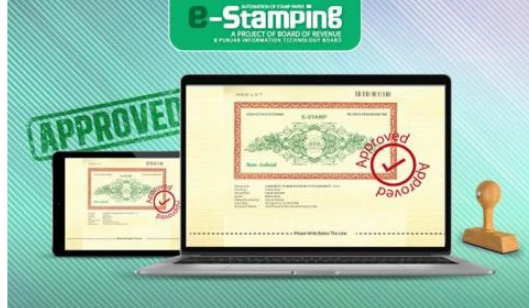
How to Print PKR 300 e-Stamp Paper at Home in Punjab
Common Mistakes to Avoid
- Wrong CNIC: If you enter the wrong CNIC, you cannot change it after the stamp is generated. You would have to apply for a refund (which is a long process) and start over.
- Incorrect District: Some departments only accept stamps from their specific district. Confirm this before selecting the location.
- Waiting Too Long: While the PSID stays valid for a while, it’s best to pay and print on the same day to avoid any technical glitches.
Frequently Asked Questions (FAQs)
1. Is a home-printed e-Stamp paper legally valid?
Yes, it is 100% legally valid. It contains a unique ID and a QR code that any official can scan to verify its authenticity on the spot.
2. What if I don’t receive the SMS with the Stamp Number?
Sometimes network delays happen. You can try the “Track Challan” option on the website to see the status. If the payment is successful but no SMS arrives, you may contact the PITB helpline.
3. Can I use the same PSID to print the stamp twice?
You can download the PDF multiple times using the OTP. However, the legal “stamp” is only the one used for the specific purpose stated. Using copies for different legal matters is not allowed.
4. Do I need to get it signed by a Stamp Vendor?
No. The e-Stamp paper does not require the traditional round stamp or signature of a vendor. However, depending on the document (like an affidavit), you may still need to get it attested by an Oath Commissioner or Notary Public.
5. What is the fee for the online service?
The government only charges the actual stamp duty (e.g., 300 rupees). There are no additional “service charges” for using the online portal.
Final Thoughts
The ability to print a 300-rupee e-Stamp paper at home is a massive step toward a modern, transparent Pakistan. It saves you from the heat, the crowds, and the extra fees charged by middlemen. By following the steps above, you can handle your legal paperwork with professional ease.
If you are a business owner or a student, learning this process is a valuable skill that will save you time and money for years to come.